
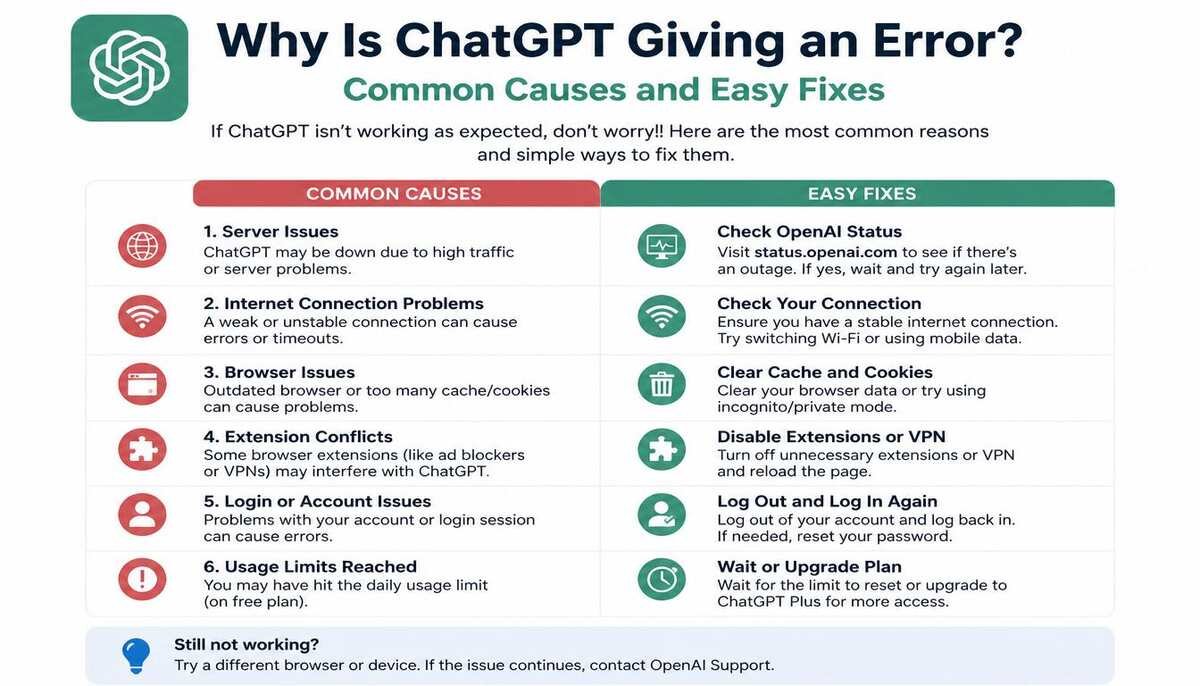
ChatGPT errors can feel frustrating, especially when you need quick answers or are working on something important. ChatGPT gives me an error. Sometimes the platform stops responding, shows an error message, or gets stuck while generating replies. These issues usually happen because of internet problems, overloaded servers, browser conflicts, or temporary technical glitches. The good news is that most ChatGPT errors can be fixed in just a few simple steps.
Many users search for solutions when they see messages like “error in message stream,” “network error,” or “something went wrong.” Understanding why ChatGPT is giving an error helps you troubleshoot the issue faster without wasting time. Whether you are using ChatGPT on a desktop, mobile, or browser, small fixes often solve the problem immediately. Learning these troubleshooting methods can save you frustration and improve your overall experience.
Common Reasons Why ChatGPT Shows Error Messages
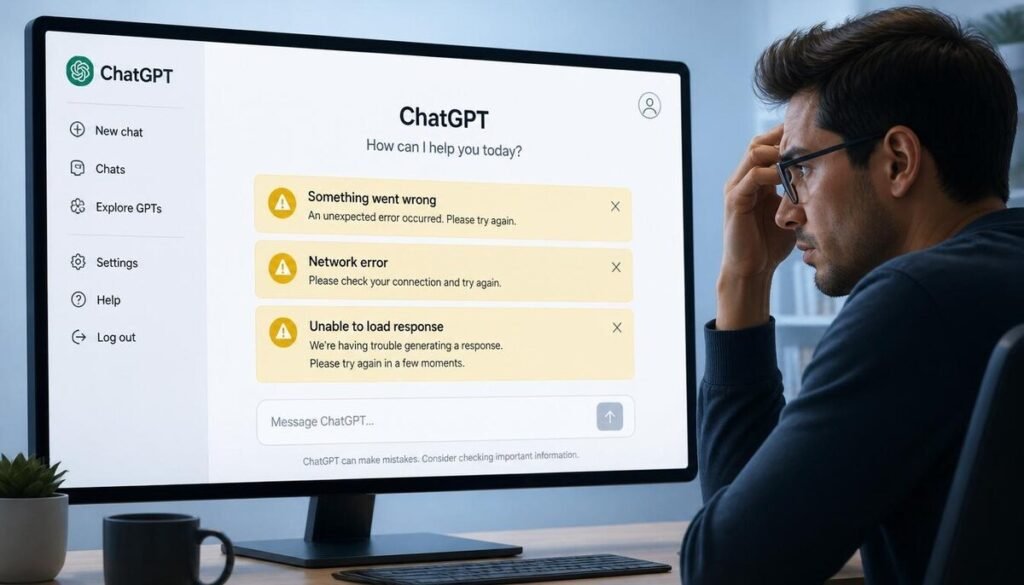
One of the biggest reasons ChatGPT gives an error is server overload. When too many users access the platform at the same time, the servers may struggle to handle requests. This can cause delayed responses, loading issues, or complete error messages during conversations. High traffic periods often increase these temporary technical problems.
Another common reason is unstable internet connectivity. If your Wi-Fi disconnects briefly or your mobile data becomes weak, ChatGPT may stop generating responses properly. Browser extensions, outdated apps, or corrupted cache files can also interrupt the connection. These technical conflicts sometimes trigger message stream errors or loading failures.
How to Fix ChatGPT Error Messages Quickly
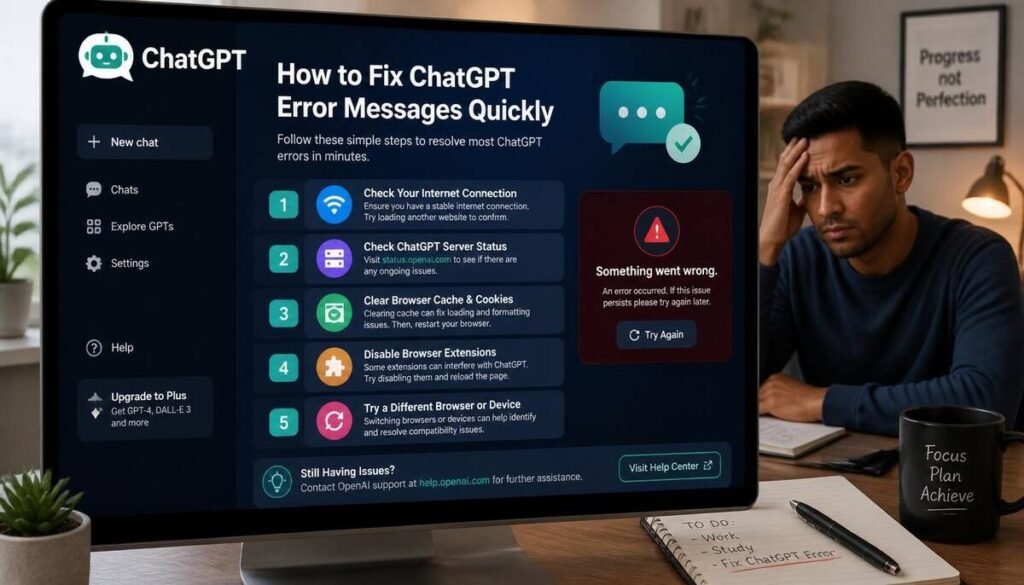
Refreshing the page is usually the easiest first step. Clearing browser cache and cookies can also remove corrupted temporary files that may interfere with ChatGPT performance. A clean browser session often improves loading speed and response stability.
Switching browsers sometimes fixes the issue instantly as well. If ChatGPT gives errors on Chrome, try using Edge, Firefox, or Safari instead. Disabling VPNs and browser extensions can also help because some security tools block parts of the website accidentally. Simple troubleshooting methods solve most user-side errors within minutes.
Why ChatGPT Gives “Error in Message Stream”

The “error in message stream” issue usually happens when the connection between your device and ChatGPT servers gets interrupted. Weak internet signals, browser instability, or overloaded servers often trigger this problem during long conversations. Large prompts or very fast repeated requests may also increase the chances of stream errors.
To fix this issue, refresh the chat and resend your message in smaller sections. Breaking long prompts into shorter paragraphs helps ChatGPT process requests more smoothly. Restarting your browser or reconnecting your internet can also restore a stable connection. In many cases, waiting a few minutes solves the problem automatically.
ChatGPT Network Error: What It Means
A network error normally appears when the system cannot maintain a stable connection while generating responses. This can happen because of internet interruptions, firewall restrictions, or temporary server downtime. Users with unstable Wi-Fi often experience this problem more frequently during longer conversations.
Using a stronger internet connection usually fixes network-related problems quickly. Restarting your router or switching from mobile data to Wi-Fi can improve stability. If the issue continues, checking the ChatGPT server status page helps confirm whether the platform itself is experiencing technical issues. Sometimes the only solution is waiting for servers to stabilize.
Why ChatGPT Is Not Working on Mobile Devices
Mobile users sometimes experience loading problems due to outdated apps or limited device memory. Old app versions may struggle to connect properly with newer server updates. Low storage space or too many background apps can also slow performance and trigger errors while using ChatGPT.
Updating the ChatGPT app to the latest version often solves these issues immediately. Clearing app cache and restarting the device can improve stability and loading speed. Mobile browsers may also work better than apps in some cases. Keeping your phone updated helps reduce compatibility problems over time.
Can Browser Extensions Cause ChatGPT Errors?
Yes, browser extensions are a common hidden reason behind ChatGPT problems. Ad blockers, security plugins, and privacy tools may interfere with how the platform loads scripts or handles requests. This can cause incomplete responses, loading failures, or unexpected message errors during conversations.
Opening ChatGPT in incognito mode is an easy way to test this issue. If the website works normally there, one of your browser extensions is likely causing the problem. Disable extensions one by one to identify the conflicting tool. Keeping only essential extensions active often improves browser performance significantly.
What to Do When ChatGPT Servers Are Down
Sometimes the issue is not on your side at all. ChatGPT servers occasionally experience downtime due to maintenance, updates, or sudden traffic spikes. During these moments, users may see login failures, blank screens, or repeated error messages even with a strong internet connection.
Checking official server status updates helps confirm whether the outage is widespread. ChatGPT giving me an error. If the servers are temporarily down, the best solution is simply to wait until the service returns to normal. Most outages are resolved fairly quickly by the technical team. Trying again after some time usually fixes the issue automatically.
FAQs
Why is ChatGPT giving me an error message?
ChatGPT may show error messages because of server overload, unstable internet connections, browser issues, or temporary technical glitches.
How do I fix ChatGPT errors quickly?
Refresh the page, clear browser cache, restart your browser, disable VPNs or extensions, and check your internet connection.
Why does ChatGPT say “error in message stream”?
This error usually occurs when the connection between your device and ChatGPT’s servers becomes unstable during message generation.
Is ChatGPT’s error temporary?
Yes, many ChatGPT errors are temporary and disappear after refreshing the page or waiting a few minutes for servers to stabilize.
Can browser extensions affect ChatGPT?
Yes, some browser extensions, such as ad blockers or security plugins, can interfere with ChatGPT and cause loading or response errors.

Clara Linford is a tech enthusiast and troubleshooting expert specializing in Windows errors, gaming crashes, and software fixes. At FindsErrors.com, she breaks down complex technical issues into simple, step-by-step solutions.